TypeScript
React
CSS
Algorithms
Educational Tool
Algorithm Visualization
Interactive Learning

Sorting Visualizer

A comprehensive web-based tool for visualizing sorting algorithms in action, designed to make abstract algorithmic concepts concrete through interactive animations.

Maruf Hossainco-authored withO3 (OpenAI)
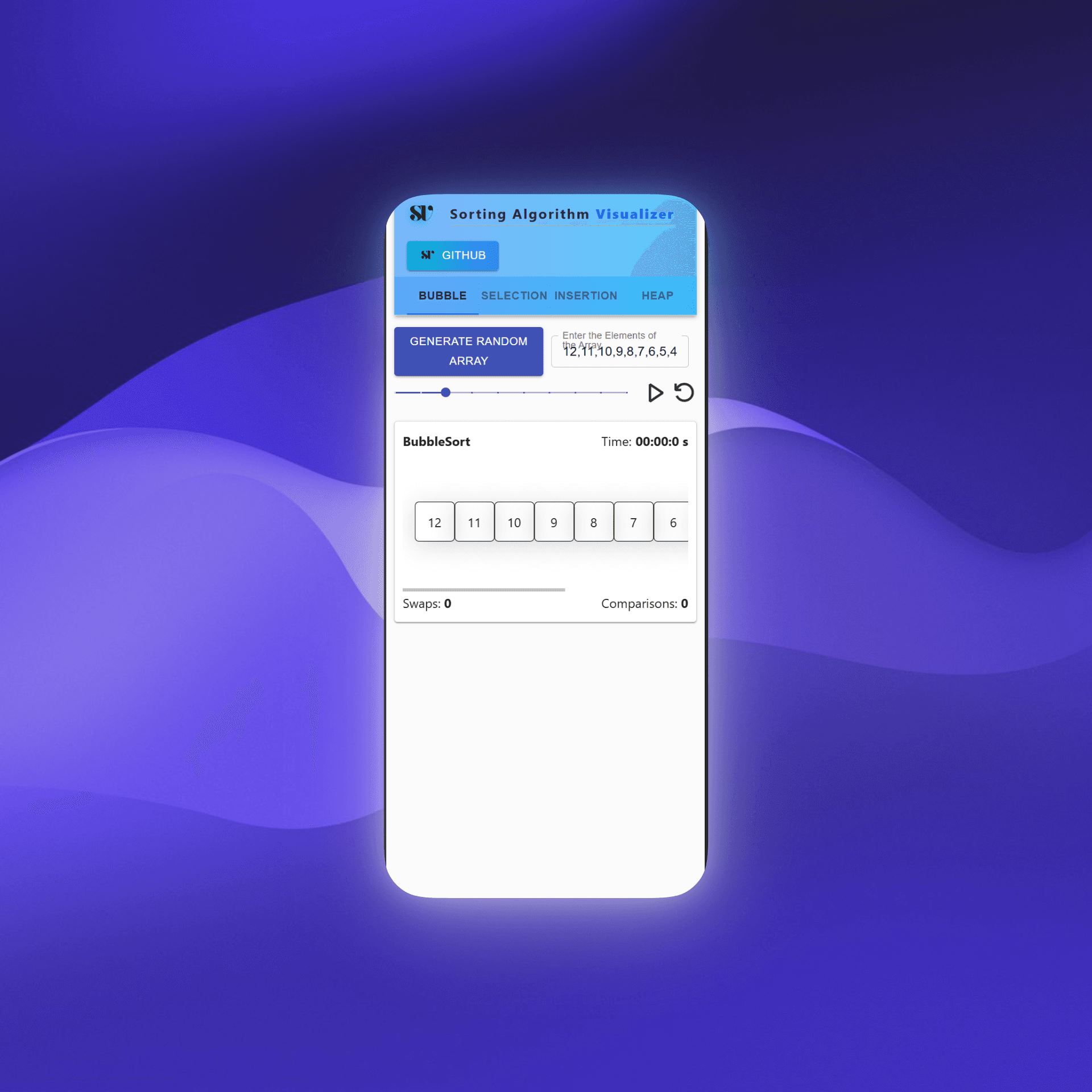
Sorting Visualizer Interface
8
Sorting Algorithms
Quadratic & n log n
60fps
Smooth Animations
Real-time execution
5-30
Array Elements
Adjustable size
Free
Open Access
Learning-first tool

Project Overview

The Sorting Visualizer is an educational web application that transforms abstract algorithmic concepts into tangible, visual experiences. Built to help students, educators, and developers understand how different sorting algorithms work through real-time animated visualizations.

The project serves as a comprehensive learning tool that makes complex algorithms accessible by showing the step-by-step process of how arrays get sorted, allowing users to see comparisons and swaps in real-time with detailed performance metrics.

Why I Built This

While learning algorithms, I kept memorizing time complexities but couldn't see what was actually happening during execution. I wanted a tool that would make the invisible visible—showing every comparison and swap in real time so the differences between O(n²) and O(n log n) became intuitive, not just theoretical.

This visualizer is for students preparing for technical interviews, educators demonstrating algorithm behavior, and anyone who learns better by watching code execute step by step rather than reading pseudocode.

Problem & Solution

The Problem

  • • Sorting algorithms are abstract and hard to visualize
  • • Students struggle to understand algorithm efficiency
  • • Limited interactive tools for algorithm learning
  • • Difficulty comparing different sorting approaches

The Solution

  • • Interactive real-time algorithm visualization
  • • Side-by-side comparison of multiple algorithms
  • • Detailed performance metrics and timing
  • • Educational content with algorithm explanations

Constraints & Decisions

  • Pause/resume without desynchronization: Required careful state management to maintain exact execution position across animations
  • Deterministic stepping for fair comparisons: Each algorithm needed to yield consistent steps for accurate side-by-side metrics
  • Merge sort visualization model: Unlike swap-based algorithms, merge sort required a different approach to show auxiliary array operations
  • Lightweight state management: Chose Zustand over Redux to avoid boilerplate while maintaining predictable state updates
  • Animation fidelity vs. performance: Balanced smooth 60fps animations with accurate operation counting, especially on mobile devices

Key Features

Interactive Visualization

Real-time, animated visualization of sorting processes with color-coded states

8 Sorting Algorithms

Bubble, Selection, Insertion, Quick, Merge, Heap, Cocktail, and Comb Sort

Performance Metrics

Track swaps, comparisons, and execution time for each algorithm

Side-by-Side Comparison

Compare multiple algorithms simultaneously to understand differences

Customizable Controls

Adjustable speed, custom arrays, and detailed algorithm information

Responsive Design

Optimized for desktop, tablet, and mobile devices

Technical Implementation

Technology Stack

React
JavaScript
TailwindCSS
Zustand
Vite
Styled Components
Radix UI
Lucide Icons

Key Technical Challenges

Async Generator Functions

Implemented sorting algorithms as async generator functions to allow step-by-step execution and visualization control, enabling precise animation timing.

Animation Synchronization

Coordinated visual animations with algorithm logical steps using custom CSS animations and styled components for smooth, accurate representations.

Merge Sort Visualization

Special handling for merge sort which doesn't use in-place swapping, requiring custom container components and visualization logic.

Architecture Highlights

State Management Architecture

Zustand-based dual-store system for predictable state updates:

  • Controls store: speed, isRunning, currentStep, selectedAlgorithms
  • Data store: array state, per-algorithm metrics, element color states

Execution Model

Algorithms implemented as async generators that yield discrete steps (compare, swap, overwrite, markSorted). The UI scheduler consumes these steps and updates the visualization bars and operation counters in sync.

Performance & Metrics

Real-time
Execution Timing
Accurate
Operation Counting
Optimized
Animation Performance

Measured Metrics

Performance Tracking

  • • Execution time for each algorithm
  • • Number of element comparisons
  • • Number of element swaps
  • • Animation speed control (1x to 10x)

Visual Feedback

  • • Color-coded element states
  • • Progress indicators
  • • Completion status badges
  • • Side-by-side algorithm comparison

Results & Outcomes

Technical Achievements

  • • Pause/resume functionality works without skipping steps or desyncing animations
  • • Smooth 60fps performance with arrays from 5 to 30 elements across all screen sizes
  • • Operation counts verified against expected behavior on test arrays
  • • TailwindCSS-based responsive design with Styled Components for animation layers

Real-World Impact

  • • Used as a quick refresher before technical interviews
  • • Helps visualize why certain algorithms perform better in specific scenarios
  • • Makes time complexity differences tangible and memorable
  • • Enables hands-on comparison without writing any code

Educational Impact

Learning Objectives

Algorithm Understanding

  • • Visualize step-by-step sorting processes
  • • Understand algorithm efficiency differences
  • • Learn time and space complexity concepts

Interactive Learning

  • • Hands-on algorithm experimentation
  • • Real-time performance comparison
  • • Custom array input and testing
Students
Algorithm learning
Educators
Teaching tool
Developers
Algorithm comparison

What I Learned

  • Async generators for algorithm visualization: Using generator functions to yield execution steps enabled precise control over animation timing and pause/resume functionality
  • Animation synchronization is hard: Coordinating visual state with logical algorithm steps required careful timing management and state tracking
  • Not all sorting algorithms are equal visually: Merge sort broke my swap-based mental model—it required rethinking how to represent auxiliary array operations
  • Performance tradeoffs matter: Balancing animation smoothness with operation accuracy meant optimizing render cycles and minimizing unnecessary state updates
  • State modeling impacts maintainability: Separating control state from data state made debugging easier and enabled independent feature development
  • Responsive visualizations need adaptive data: Dynamic array sizing based on screen dimensions ensured consistent user experience across devices

Next Iteration

Enhanced Features

  • Additional algorithms (Radix, Shell Sort): to show non-comparison-based sorting behavior
  • Sound effects for audio feedback: making comparisons and swaps audible for multi-sensory learning
  • Save/share configurations: enabling users to bookmark interesting array states or edge cases

Educational Enhancements

  • Step-by-step explanations: inline descriptions of what's happening at each algorithm step
  • Interactive tutorials: guided walkthroughs for first-time users
  • Custom test cases: pre-configured worst-case, best-case, and already-sorted scenarios

Skills Demonstrated

Technical Skills

Frontend Development

  • • React component architecture and hooks
  • • Advanced JavaScript (async generators, promises)
  • • CSS animations and responsive design
  • • State management with Zustand

Algorithm Implementation

  • • 8 different sorting algorithms
  • • Performance optimization techniques
  • • Visual representation of complex logic
  • • Educational content creation

Soft Skills

Educational Design
Making complex concepts accessible
User Experience
Intuitive interface design
Problem Solving
Technical challenge resolution

Ready to Explore?

Experience the power of visual algorithm learning with interactive sorting demonstrations.